

Universal Password Recovery Guide
A practical guide to how LostMyPassPro handles protected ZIP, RAR, 7z, PDF, Word, Excel, PowerPoint, and selected wallet files: detection first, Fast Check when possible, guaranteed legacy recovery where eligible, and Deep Recovery + AI when hints are needed.
Watch How It Works
See how we recover passwords in under 2 minutes
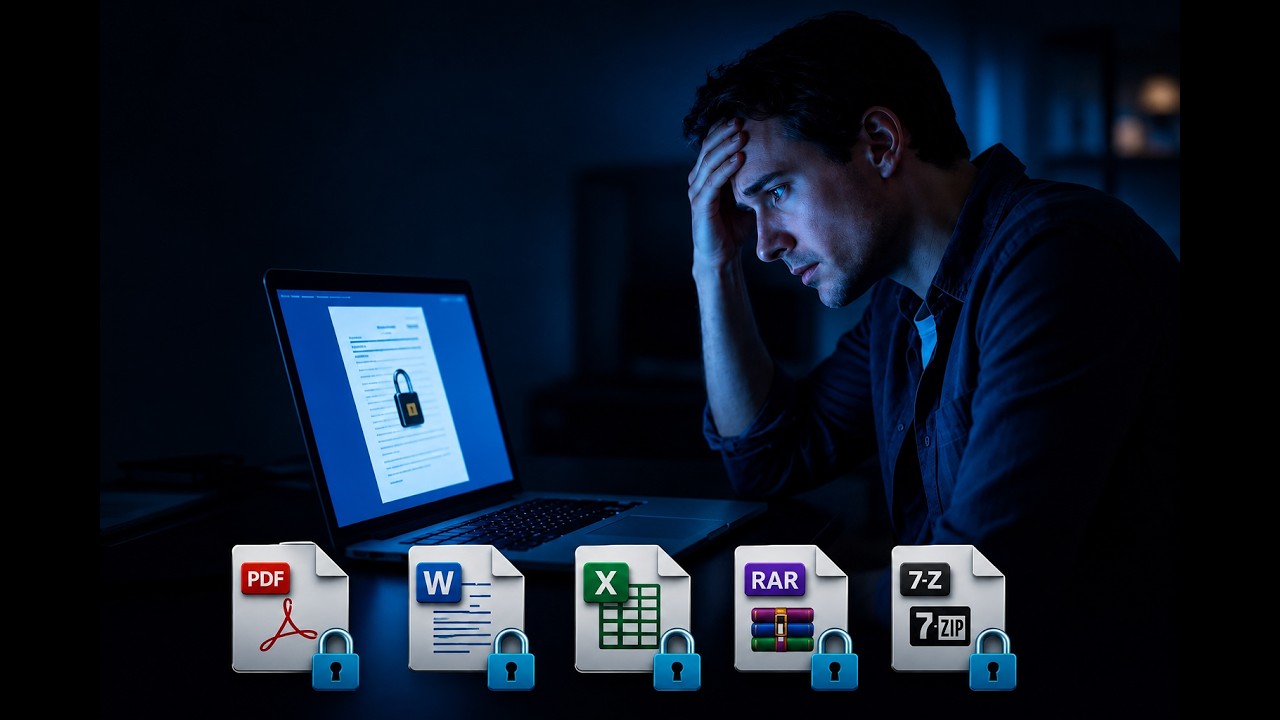
The Password Recovery Problem
Every day, thousands of people lose access to their own files because they have forgotten a password. The file may be an old ZIP archive containing family photos, an Excel workbook with years of financial data locked behind a forgotten PIN, a PDF contract that cannot be opened, or a Word document with critical business information. The data is still there, intact — but the encryption key needed to access it is lost.
Modern file encryption uses strong cryptographic algorithms like AES-256, which is the same standard used by governments and financial institutions worldwide. These algorithms are designed to be mathematically impossible to reverse without the correct password. There is no backdoor, no master override, no hidden recovery option provided by Microsoft, Adobe, or any other software vendor. When a password is lost, the only practical option is systematic guessing — trying millions or billions of password candidates until the correct one is found.
The core challenge is one of scale. A 4-digit PIN has only 10,000 possible combinations and can be tested in seconds. An 8-character password using mixed case, numbers, and symbols creates over 6 quadrillion possibilities. A 12-character random password is effectively unrecoverable by any known method. Understanding where your password falls on this spectrum is the first step toward a realistic recovery plan.
This guide explains how professional GPU-accelerated password recovery works, what outcomes you can realistically expect for different file types and password complexities, how our pricing is structured, and how we compare with the alternatives — desktop software, enterprise tools, DIY approaches, and other online services.
Transparent Success-Based Pricing
Our pricing is designed to match the effort required for each recovery path. You only pay for what you need, and you only pay the success fee if we actually recover your password.
Deep Recovery + AI
Activation + success fee
$9.99
+ $34.99
Fast Check (Free)
Free for 4-digit PINs & top 10K passwords
FREE
$19.99 / $29.99 unlock
Guaranteed Legacy
100% for eligible old formats
$24.99
on success
Why choose LostMyPassPro?
Format-aware recovery instead of treating every extension the same.
Secure cloud processing with isolated workflows and automatic cleanup.
Fast Check first for common passwords and quick wins.
AI-assisted hint processing for modern AES cases.
Clear path selection before deeper recovery begins.
No software to install — everything runs in your browser.
4,200+ passwords successfully recovered as of 2026.
Word, Excel, PowerPoint
DOC, XLS, and PPT from Office 97-2003 may use legacy encryption. DOCX, XLSX, and PPTX from modern Office usually use stronger AES-based protection where hints matter more.
PDF documents
Old Acrobat-era PDFs can fall into guaranteed recovery classes, while modern AES-protected PDFs depend on password strength and remembered details.
ZIP, RAR, 7z
Classic ZipCrypto, WinZip AES, RAR3, RAR5, and 7-Zip AES-256 are treated as separate profiles because their testing speed and recovery outlook are different.
Wallets and hashes
Selected wallet and hash-based workflows are handled only when the file can be identified and processed safely. Ownership and authorization matter.
Recovery Details, Expectations & FAQ
Hints do not need to be perfect. Even partial memories can help: a likely word, a year, a phrase style, or a symbol habit can remove millions or billions of useless candidates. Users who provide 3-5 specific hints see significantly higher success rates compared to those who provide no hints at all.
Possible words, names, nicknames, company terms, document topics, or project names.
Years, dates, phone fragments, usernames, IDs, or numbers you often reuse.
Approximate length, known prefix or suffix, capitalization habits, and common symbols.
Old passwords that may have been reused with added digits or substitutions.
Language, keyboard layout, transliteration style, or whether it was typed on mobile.
Whether the password was human-made, shared by someone else, or generated by a password manager.
Step-by-Step Recovery Workflow
Upload and identify the format
The analyzer reads container metadata and encryption markers. This separates old Office from modern Office, ZipCrypto from AES ZIP, RAR3 from RAR5, and weak PDF generations from modern PDF. The detection step runs automatically within seconds of upload and determines which attack strategies will be effective.
Run the first practical path
Most standard files begin with a Fast Check for common passwords and quick wins. Eligible legacy PDF and Office cases can be routed directly to a guaranteed recovery workflow. During Fast Check, we test all 10,000 4-digit PINs (0000-9999), the top 10,000 most common passwords from real-world breaches, keyboard patterns like 'qwerty' and '123456', and commonly reused password fragments from our database. Results arrive within 15-30 minutes.
Escalate with hints when needed
If the quick path misses, Deep Recovery + AI uses your remembered details to build dictionaries, masks, substitutions, and rule-based candidate lists. Hints such as possible words, years, name fragments, capitalization habits, and character substitutions allow our GPU cluster to focus on the most probable candidates rather than trying random guesses. This is the most common path for real-world recovery cases.
Show proof before final payment
When a password or unlocked result is found, the workflow provides proof before the success payment. If recovery is not successful, success-based fees do not apply. For the Fast Check path, 4-digit PINs and the top 10,000 common passwords are completely free — you download the password at no cost.
Choosing the right recovery path
Fast Check (Free)
Best for simple, reused, or common passwords. Tests 10,000 PINs, 10,000 common passwords, and keyboard patterns in 15-30 minutes. 4-digit PINs and simple dictionary words are completely free if found. More complex passwords found during this scan can be unlocked for a small success fee.
Guaranteed legacy recovery
Used only for eligible weak legacy formats, such as old PDF (Acrobat 3-5) or old Office (97-2003) encryption classes. These formats use 40-bit RC4 encryption which is fundamentally weak and can be broken regardless of how complex the password is. The guarantee depends on the file profile, not on the file extension alone.
Deep Recovery + AI
Used when the file is modern or the password is not found quickly. AI turns your hints into a focused search strategy instead of trying random guesses first. The GPU cluster runs millions of targeted candidates per second using dictionary mutations, rule-based attacks, mask attacks, and the PRINCE algorithm. Success depends on password complexity and quality of hints.
How We Compare with Alternatives
Password recovery is not a one-size-fits-all market. Different tools and services serve different needs. Here is how LostMyPassPro stacks up against the main alternatives available in 2026.
The password recovery landscape in 2026 includes desktop software (PassFab, iSeePassword, Passper), enterprise forensics tools (Elcomsoft, Passware), DIY approaches (hashcat on personal hardware), other online services, and free browser-based tools. Each category has trade-offs in cost, speed, privacy, success rate, and ease of use.
| Factor | LostMyPassPro | Desktop Software | Enterprise Tools | DIY (hashcat) |
|---|---|---|---|---|
| Cost model | Pay on success from $9.99 activation. Free for common passwords. | $29-$99 upfront, no guarantee of success. | $500-$2,000+ annual license, aimed at professionals. | Free software, but need GPU hardware ($500-$3,000+). |
| Hardware power | Dedicated GPU clusters, 24/7 operation. Multiple high-end GPUs per job. | Your local CPU/GPU only. Limited by your hardware. | Professional-grade, but requires local installation. | Your hardware only. Single GPU typically 5-10x slower than our clusters. |
| File formats | ZIP, RAR, 7z, PDF, Word, Excel, PowerPoint, wallet files. | Varies. Most cover PDF and Office. Some cover ZIP/RAR. | Very broad, including proprietary formats and memory dumps. | Anything hashcat supports (320+ hash types), but requires technical setup. |
| Technical skill needed | None. Upload file through browser, we handle everything. | Low to medium. Install software, select attack type, configure settings. | High. Requires understanding of forensics and encryption concepts. | Very high. Must install and configure hashcat, extract hashes, manage wordlists. |
| Privacy & security | Files encrypted in transit, processed in isolated VMs, auto-deleted after job. | Files stay local. No upload needed. Privacy depends on your own security. | Files stay on your systems. Maximum privacy control. | Fully local. Complete privacy, but requires your own security practices. |
| Success guarantee | Legacy formats: 100% guaranteed. Modern formats: pay only on success. | No guarantee. You pay upfront regardless of outcome. | No guarantee. Enterprise license paid regardless of individual case results. | No guarantee. Success depends entirely on your hardware and password list quality. |
| When it is best | Single file or small batch. No technical skill. No upfront cost risk. | Frequent recovery work. Privacy-sensitive users. Offline environments. | Law enforcement, corporate forensics, large-scale investigations. | Enthusiasts with GPU hardware. Learning password security. Batch processing. |
Our Honest Recommendation
If you have a single locked file and no technical background, LostMyPassPro is the most practical option: no software install, no upfront payment, and you only pay if we succeed. If you need to recover files regularly or work in an offline environment, desktop software like PassFab or Passper may be more cost-effective in the long run. For law enforcement or corporate IT forensics, enterprise tools like Elcomsoft or Passware are the industry standard. The DIY route with hashcat is best suited for security enthusiasts who already own a powerful GPU and enjoy the technical challenge.
Best Practices for Password Recovery Candidates
Before uploading, write down everything you remember about the password: approximate length, characters used, words or numbers you typically include, and any context (the file topic, when it was created, who shared it).
Check if your password might be a simple PIN, a common word, or a keyboard pattern — these are exactly what Fast Check targets for free.
If the file is an old Office document (.doc, .xls, .ppt from 97-2003) or an old PDF (created with Acrobat 3-5), it qualifies for guaranteed recovery regardless of password strength.
Modern files (.docx, .xlsx, .pdf with AES encryption) require the password to have some human-readable structure for Deep Recovery to be effective. Long random passwords from password managers are unlikely to be recoverable.
Use the hints form during upload even if you only remember fragments. A single remembered word can reduce the search space by 99.9% or more.
File size does not affect recovery speed. We only extract the password hash, not the full file content. Even 100MB files process at the same speed as 1KB files.
Frequently Asked Questions
How long does Deep Recovery + AI take?
Typical Deep Recovery cases complete within 24-72 hours for modern file formats with moderate password complexity. Simple passwords on legacy formats may resolve in minutes. Very complex cases may run longer. You will receive email notification when the password is found or when all strategies are exhausted.
What payment options do you accept?
We accept major credit and debit cards (Visa, Mastercard, American Express) and PayPal. Payments are processed securely through Stripe. You are only charged the success fee after we demonstrate proof of recovery. The activation fee for Deep Recovery is charged upfront to cover GPU processing costs.
Is it legal to use a password recovery service?
Yes, password recovery is legal when used to access files you own or are authorized to access. It is the digital equivalent of calling a locksmith to open your own door. Our terms of service require that you have legal ownership or authorization for any file you submit. We do not accept files belonging to third parties without documented authorization.
Do you offer any discounts or bulk pricing?
For users who regularly need password recovery, we offer a Membership plan at $200.00 for unlimited recoveries within a specified period. This can be cost-effective for IT administrators, legal professionals, or small businesses. Contact our support team for details on enterprise or bulk pricing.
Need to encrypt a file first?
If you are protecting a new file, use Secure File. PDF, Office, 7z, and ZIP files are encrypted natively. The password is automatically synced, so if you ever forget it, recovery is immediate.
Ready to recover your lost password?
Upload the protected file first. LostMyPassPro detects the format, chooses the right recovery path, and only escalates when the first path is not enough. No software installation, no technical knowledge required, and no upfront payment for standard cases.