

New Zealand · Payslip, IRD & Bank PDF
Locked NZ Payslip, IRD Summary or Bank Statement PDF? What to Check
New Zealand employers, chartered accountants, KiwiSaver providers, and banks sometimes encrypt emailed payslips, IR3/summary packs, and historical statement PDFs. Check the sender’s email rule or re-download from myIR or your NZ banking app before running password recovery.
Check your NZ payroll email or re-download from myIR / internet banking first
Direct PDF exports from Inland Revenue (myIR) and NZ banking apps (ANZ goMoney, ASB, BNZ, Westpac One, Kiwibank) are normally unencrypted once logged in. Password prompts typically appear on emailed payroll PDFs from Smartly, Xero Payroll, PayHero, or MYOB (often DDMMYYYY / DDMMYY birth date or an employee code explained in the email) or accountant-encrypted archives.
New Zealand Payslip, IRD & Bank Statement PDF Lock Matrix
myIR summaries and NZ banking app exports download without PDF passwords; prompts usually come from emailed payroll PDFs (Xero, Smartly, PayHero, MYOB) or archived advisor packs.
| Protection Layer | Cipher / KDF Spec | Can You Bypass Locally? | Recovery Reality |
|---|---|---|---|
| myIR (IRD) & NZ Bank App Download | Authenticated portal export (unencrypted PDF) | Yes (Free) — sign in to myIR or ANZ/ASB/BNZ/Westpac/Kiwibank | No recovery needed while official portal access is available |
| NZ Payroll ePayslip (Xero, Smartly, PayHero, MYOB) | AES-128 / AES-256 User key (DDMMYYYY / IRD-subset / surname formula) | Often Yes (Free) — check exact date & case rule in payroll email | Use recovery only if the cover email or custom key is lost |
| Print / Copy Permissions Lock Only | Blank User password; /O + /P viewer flags | Opens directly in Chrome, Edge, or macOS Preview | No opening-key recovery needed when document renders |
| Archived Old NZ Payslip / KiwiSaver / Advisor PDF | RC4-40 (Guaranteed 10400) or AES-128 / AES-256 R5–R6 | No — archived offline encrypted PDFs require real key recovery | $0 upfront check + cloud GPU recovery or local hash mode |
Never type myIR passwords, NZ banking PINs, or full IRD numbers as recovery hints — use zero-upload local hash mode for sensitive tax documents.
Free NZ IRD, payslip & bank PDF pre-check in 30 seconds
Test official NZ portals and email password rules before uploading.
- Sign in to myIR (IRD) or your ANZ, ASB, BNZ, Westpac, or Kiwibank app to download fresh unencrypted statements.
- For Xero, Smartly, PayHero, or MYOB emailed payslips, re-read the payroll welcome email and test DDMMYYYY or DDMMYY variations.
- If an archived NZ PDF remains locked with a forgotten custom password, drop an authorized copy above (or submit its local hash) for a $0 check.
Quick path for locked New Zealand PDFs
1. Check the payroll or accountant email body
Look for instructions specifying DDMMYYYY birth date, IRD number digits, or client code capitalization.
2. Export fresh copies from myIR or your NZ bank
Sign in to myIR for income summaries or ANZ/ASB/BNZ/Westpac/Kiwibank online banking for unencrypted statement PDFs.
3. Archived PDF you can no longer re-download?
Upload an authorized copy to start Password Recovery at $0 upfront—pay only if a verified result is confirmed.
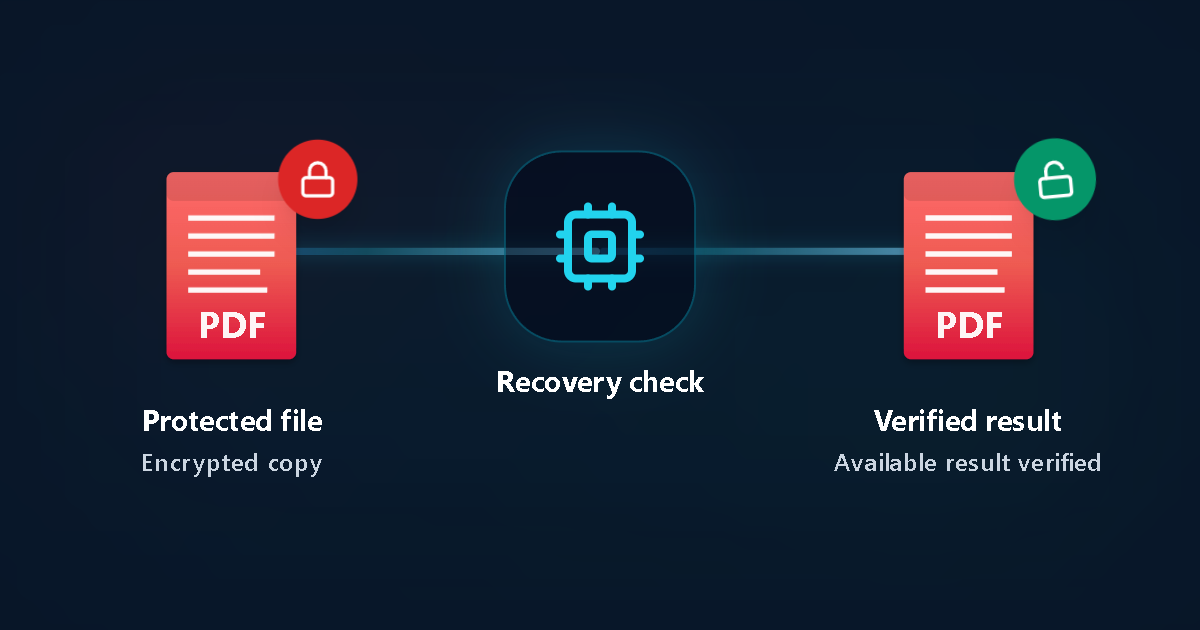
Protected file
Encrypted copy
Recovery check
Verified result
Available result verified
NZ payroll, chartered accountant & bank PDF checklist
How to troubleshoot a locked NZ payslip, IRD or bank PDF
Test DDMMYYYY vs DDMMYY date order
New Zealand payroll tools use day-month-year order rather than US month-day-year; check whether slashes or dots are excluded.
Confirm whether viewing or only printing is locked
If your PDF opens on screen without a prompt, you only have an owner/print restriction rather than a forgotten open password.
Keep RealMe, myIR, and bank logins private
Never enter RealMe logins, online banking passwords, or 2FA codes as password hints.
Use local hash mode if the file must stay offline
Confidential legal or accounting PDFs can be tested via locally extracted hashes without uploading the document.
Start Password Recovery online with no upfront fee
Automatic header inspection distinguishes older 40-bit RC4 PDFs from modern AES-256 files immediately.
Review verified proof before unlocking
One-time transparent pricing with automatic 24-hour working-file deletion.
Key NZ document & privacy facts
New Zealand PDF protection notes
- Inland Revenue myIR downloads do not use a universal hidden password—prompts usually come from payroll bureaus or accountants.
- Updating your payroll portal login does not remove encryption from previously saved PDFs.
Privacy & retention
- Only upload files you own or are authorized to recover.
- Automatic 24-hour deletion applies to all uploaded working copies.
Common New Zealand scenarios
Old payslip or KiwiSaver statement from a previous NZ employer
When PayHero/Smartly self-service access has closed, remembered dates or name patterns help guide Password Recovery.
Accountant-locked GST or annual financial PDF pack
Check the firm’s email note first; otherwise run a $0 upfront Password Recovery on a copy.
NZ payslip & bank PDF FAQ
Do ANZ, ASB, BNZ, or Westpac NZ put passwords on downloaded statements?
Statements downloaded directly inside authenticated NZ mobile or web banking are normally unencrypted. Password prompts usually come from emailed payroll attachments or custom-encrypted archives.
Does Password Recovery require payment upfront in New Zealand?
No. Password Recovery begins at $0 upfront; you only pay a one-time fee if a verified result is found and you choose to unlock it.
Can I recover a locked Excel or ZIP tax archive too?
Yes—LostMyPassPro supports PDF, Word, Excel, PowerPoint, ZIP, RAR, and 7z files in the same browser workflow.
Related NZ guides
- New Zealand Password Recovery Hub
- PDF Password Recovery
- Zero-Upload Hash Extraction Guide
- Pricing & Options
Official references
LostMyPassPro vs Free PDF Unlockers vs Desktop PDF Tools (NZ)
Compare browser cloud GPU recovery against permission-only web unlockers and paid desktop installs.
| Criterion | LostMyPassPro (Cloud GPU) | Desktop .exe (PassFab / Passper / iSumsoft) | Smallpdf / iLovePDF Online Unlockers |
|---|---|---|---|
| Recovers forgotten Open passwords on archived NZ PDFs | Yes — cloud GPU recovery across RC4-40, AES-128 & AES-256 | Yes, throttled to your local computer's CPU/GPU | No — prompts you for the unknown Open password first |
| Zero-upload hash privacy & 24-hour max auto-deletion | Yes — local hash option + automated 24h max deletion | Requires installing closed-source .exe/.dmg locally | Uploads full PDF and still fails on Open encryption |
| Upfront cost risk | $0 upfront check — pay only on verified proof | Paid license or subscription required upfront | Cannot unlock unknown Open passwords |
Still unable to open an archived NZ PDF?
Run Password Recovery in your browser with $0 upfront and review verified options before any payment.