
Singapore · eStatement, IR8A & Payslip PDF
Locked Singapore Bank eStatement, IR8A or Payslip PDF? What to Check
Singapore banks (DBS/POSB, OCBC, UOB, Standard Chartered SG, Citibank SG) and HR payroll systems (Talenox, Employment Hero, JustLogin, ADP SG) regularly password-protect emailed eStatements, itemized payslips, and IR8A tax forms. Check the official issuer rule or Singpass/digibank re-download first.
Check your Singapore bank email format or re-download via digibank / Singpass
Emailed Singapore bank statements and HR payslips almost always explain the exact password format in the email body—frequently a combination of birth date (DDMMYYYY or DDMMYY) and last 4 characters of NRIC/FIN, or a custom eStatement password set in internet banking. Logging into DBS digibank, OCBC Digital, UOB TMRW, CPF, or IRAS myTax Portal via Singpass lets you download fresh statements without email passwords.
Singapore Bank eStatement, IRAS/CPF & Payslip PDF Lock Matrix
Emailed Singapore bank eStatements and HR payslips almost always follow a documented NRIC/FIN + DOB formula, while digibank/Singpass downloads open unlocked.
| Protection Layer | Cipher / KDF Spec | Can You Bypass Locally? | Recovery Reality |
|---|---|---|---|
| Singpass (IRAS / CPF) & Bank App Direct Download | Authenticated HTTPS portal PDF (unencrypted) | Yes (Free) — download via DBS digibank, OCBC, UOB TMRW, or Singpass | No recovery needed when your banking or Singpass portal is active |
| Emailed SG eStatement / Payslip (DBS/OCBC/UOB/Talenox/Info-Tech) | AES-128 / AES-256 User password (DOB + last-4 NRIC/FIN or name rule) | Often Yes (Free) — check uppercase/lowercase NRIC letter & DDMMYYYY | Only run recovery if an archived PDF uses a forgotten custom password |
| Print / Copy Permissions Lock Only | Blank User password; /O + /P viewer flags | Opens freely in Chrome, Edge, or macOS Preview | No opening-key recovery required when pages already render |
| Archived Former-Employer Payslip / Legacy SG Statement PDF | RC4-40 (Guaranteed 10400) or AES-128 / AES-256 R5–R6 | No — archived encrypted PDFs cannot be opened by free web unlockers | $0 upfront check + cloud GPU recovery or zero-upload hash mode |
PDPA privacy rule: never enter Singpass credentials, banking OTPs, or full NRIC/FIN numbers into third-party websites — use zero-upload local hash extraction if needed.
Free Singapore bank & payslip PDF pre-check in 30 seconds
Rule out official Singpass/digibank exports and NRIC letter-casing first.
- Log in to DBS digibank, OCBC Digital, UOB TMRW, or Singpass (IRAS / CPF) to download a fresh unencrypted statement whenever possible.
- For emailed eStatements or Talenox / Info-Tech / Payboy payslips, re-read the delivery email and test uppercase vs lowercase NRIC/FIN suffix letters and DDMMYYYY vs DDMMYY.
- If an older archived PDF has a forgotten custom password, drop an authorized copy above (or submit its local hash) for a $0 check.
3-step check for locked Singapore PDFs
1. Check the email footer for NRIC/FIN + DOB rules
Verify whether the issuer specifies uppercase NRIC/FIN suffix letters, 6-digit vs 8-digit birth date, or a custom PB/eStatement password.
2. Download directly via digibank or Singpass
Authenticated downloads inside DBS/OCBC/UOB apps or IRAS myTax Portal avoid email attachment encryption altogether.
3. Old archived PDF from a closed account or ex-employer?
If you can no longer re-download the PDF, run Password Recovery online at $0 upfront (or submit a local PDF hash so the file stays on your device).
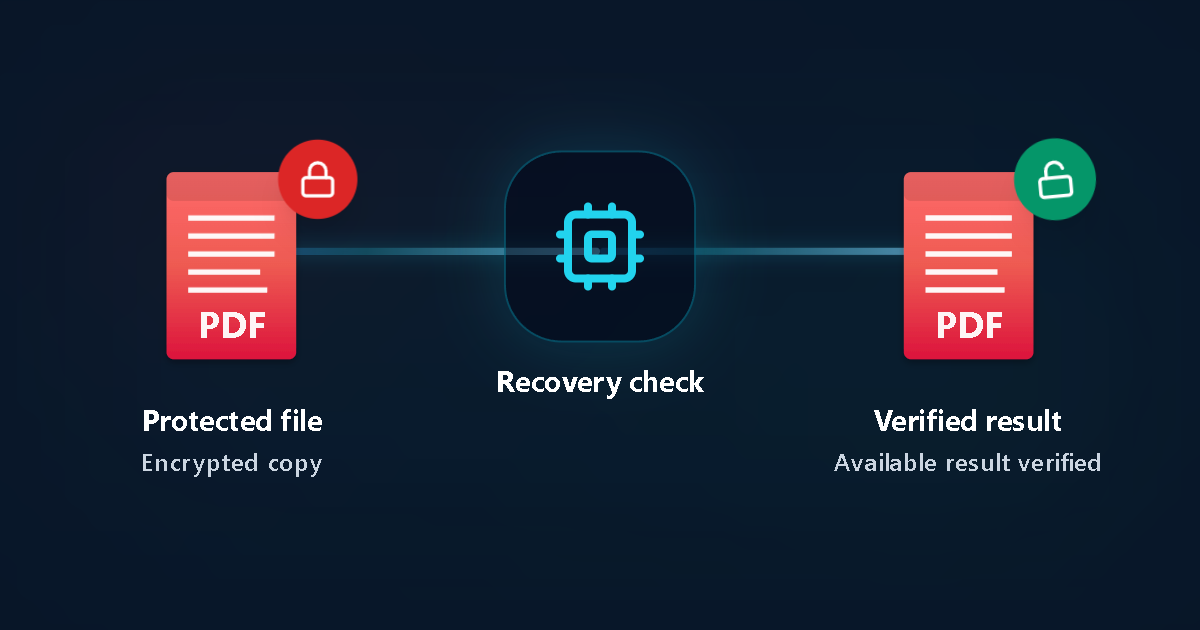
Protected file
Encrypted copy
Recovery check
Verified result
Available result verified
Singapore bank eStatement & HR payslip checklist
Steps to open a locked Singapore eStatement or payslip PDF
Watch uppercase NRIC/FIN check letters
In Singapore payroll and insurance PDFs, entering the trailing NRIC/FIN letter in lowercase instead of uppercase (or vice versa) is the most common reason a known password fails.
Check whether you set a custom eStatement password
Several Singapore banks let customers define a personal eStatement password during enrollment rather than using NRIC/DOB defaults.
Never share Singpass, OTPs, or digibank PINs
Never enter Singpass credentials, hardware/SMS OTPs, card CVVs, or full NRIC numbers into unrelated websites.
Use local hash mode for PDPA-sensitive corporate files
For confidential company accounts or HR archives, extract the PDF/Office hash locally so document contents never leave your workstation.
Run Password Recovery with zero upfront payment
Upload an authorized copy to inspect the encryption header (RC4 vs AES) and test high-probability patterns before any payment decision.
One-time transparent checkout only on verified match
No recurring subscriptions—review verified proof on your private status page before unlocking.
Singapore PDPA & document protection facts
Singapore eStatement & payslip notes
- PDPA guidelines led many SG issuers to move away from full NRIC numbers toward partial NRIC + DOB or custom passwords—always read the specific email.
- Resetting your digibank login does not alter the password on an old PDF saved to your laptop or Drive.
Privacy & 24-hour auto-deletion
- Process only authorized personal or corporate files.
- Uploaded files are purged automatically within 24 hours; zero-upload hash submission is also supported.
Common Singapore scenarios
Ex-employer payslip or IR8A PDF saved before leaving a company
When HR portal access has ended, non-sensitive hints (year, format length, uppercase habits) help focus Password Recovery.
Historical DBS/OCBC/UOB statement from a closed account
If internet banking archives no longer cover that year, test your saved PDF copy with $0 upfront.
Singapore bank & payslip PDF FAQ
What password do DBS, OCBC, or UOB emailed PDF statements use?
It depends on the product and when the eStatement was issued—commonly a combination of birth date and partial NRIC/FIN characters or a custom eStatement password shown in the bank’s delivery email. Direct downloads inside authenticated mobile banking apps usually need no password.
Do IRAS myTax Portal or CPF PDFs have a default password?
Statements downloaded directly after signing in with Singpass are generally unencrypted unless you or your tax agent added a password afterward.
Can Singapore businesses test locked files without uploading confidential data?
Yes. Use our local hash extraction guide to submit only the cryptographic hash for PDF, Office, ZIP, or RAR files.
Is there any upfront charge or subscription?
No. Password Recovery starts at $0 upfront with no subscription; payment is one-time only after a verified match is ready.
Related Singapore guides
- Singapore Password Recovery Hub
- Zero-Upload Hash Extraction Guide
- PDF Password Recovery
- Pricing & Options
Official references
LostMyPassPro vs Free PDF Unlockers vs Desktop PDF Tools (Singapore)
Compare browser cloud GPU checks and zero-upload hash privacy against free unlock sites.
| Criterion | LostMyPassPro (Cloud GPU) | Desktop .exe (PassFab / Passper / iSumsoft) | Smallpdf / iLovePDF Online Unlockers |
|---|---|---|---|
| Recovers forgotten Open passwords on archived SG PDFs | Yes — cloud GPU recovery for RC4-40, AES-128 & AES-256 | Yes, limited to local laptop CPU/GPU speed | No — prompts you for the unknown Open password first |
| Zero-upload hash mode (PDPA-friendly) + 24h auto-deletion | Yes — local hash option keeps raw PDF on your PC; 24h max purge | Requires installing closed-source desktop .exe/.dmg | Uploads full statement and still fails on Open encryption |
| Upfront cost risk | $0 upfront check — pay only on verified result | Upfront paid license or recurring subscription | Cannot unlock unknown Open passwords |
Need to unlock an older Singapore PDF or archive?
Start Password Recovery in your browser with $0 upfront—or submit a local recovery hash for maximum confidentiality.