

United States · Payroll, W-2 & Bank PDF
Locked US Paystub, W-2/1099 or Bank Statement PDF? What to Check First
US payroll providers, CPA tax preparers, and retail banks frequently encrypt emailed W-2s, 1099s, paystubs, closing disclosures, and monthly eStatement PDFs. Before running recovery on an archived file, check the sender’s standard format or download a fresh unencrypted copy from your official portal.
Check your payroll cover email or US banking portal before running recovery
Statements downloaded directly after signing in to Chase, Bank of America, Wells Fargo, Citibank, or Capital One—or paystubs exported inside ADP, Workday, Paychex, or Gusto—are normally unencrypted. Password prompts usually come from emailed payroll/CPA attachments (commonly last 4 digits of SSN, MMDDYYYY or MMDDYY birth date, or ZIP code as stated in the email) or older files you password-protected yourself.
US Paystub, W-2 & Bank PDF Lock Matrix: Issuer Formula vs Encryption
Most locked US payroll and bank PDFs use either an issuer-generated formula explained in the delivery email or standard AES-128/256 encryption set by a CPA or former HR portal.
| Protection Layer | Cipher / KDF Spec | Can You Bypass Locally? | Recovery Reality |
|---|---|---|---|
| Current Employer / Bank Portal Re-Download | Authenticated HTTPS portal export (unencrypted PDF) | Yes (Free) — sign in to ADP, Workday, Chase, BofA, or Wells Fargo directly | No password recovery needed when the portal is still active |
| Emailed Payroll / CPA Formula PDF (ADP, Paychex, Gusto) | AES-128 / AES-256 User password derived from DOB / ZIP / last-4 | Often Yes (Free) — verify the exact formula stated in your cover email | Only upload if the cover email is lost or the formula fails |
| Print / Edit Permissions Lock Only | Blank User password; /O + /P viewer restriction flags | Opens freely in Chrome, Edge, or macOS Preview | No open-password recovery required when pages already display |
| Archived Former-Employer W-2 / Historical Statement PDF | RC4-40 (Guaranteed 10400) or AES-128 / AES-256 R5–R6 | No — closed HR portals cannot re-issue the file | $0 upfront header check + cloud GPU recovery or local hash mode |
Security rule: never type online banking passwords, MFA codes, or full SSNs into third-party chat/form hints — check official portals first and use zero-upload hash extraction for sensitive tax archives.
Free 30-second US paystub & bank PDF pre-check before uploading
Rule out free portal re-downloads and standard payroll email formulas first.
- Check whether the PDF opens in Chrome/Edge without a password prompt — if pages display and only printing/copying is disabled, it is just a permissions flag.
- Re-read the delivery email from ADP, Workday, Paychex, Gusto, or your CPA firm: US payroll PDFs typically specify MMDDYYYY, ZIP code, or name-prefix rules.
- If your bank or HR account is still active, download a fresh unencrypted statement directly from the official mobile app or web portal.
- If the former employer portal is shut down and you only have the locked PDF copy, drop an authorized copy above (or extract its hash offline) to start a $0 check.
Fastest way to open your authorized US PDF
1. Read the CPA or payroll delivery email
Tax preparers (Drake, UltraTax, Lacerte, Intuit) and HR portals specify in the cover email whether the PDF uses last 4 SSN digits, birth date, or client code.
2. Re-download from ADP / Workday / your bank app
Signing into your US bank app, brokerage, or active employee self-service portal lets you export an unencrypted statement or W-2 PDF at $0.
3. Historical locked PDF from a closed account?
When a former employer portal or closed bank account is no longer accessible, upload your authorized PDF copy for a $0 upfront Password Recovery—or submit a local hash.
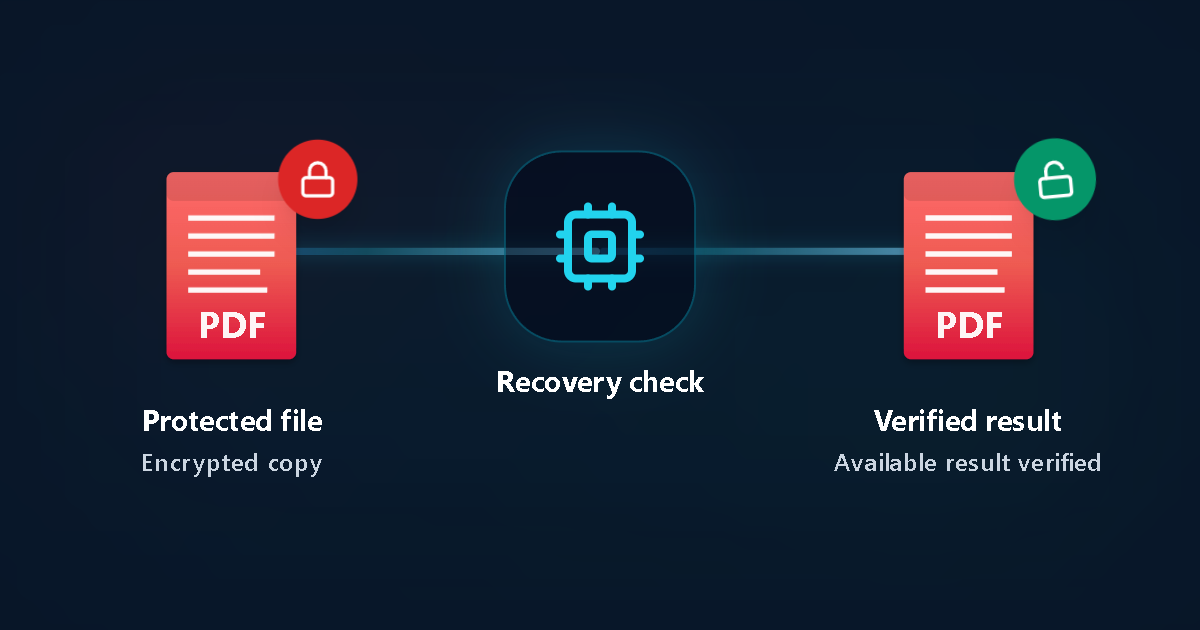
Protected file
Encrypted copy
Recovery check
Verified result
Available result verified
US payroll, CPA & bank PDF troubleshooting checklist
How to troubleshoot a locked US paystub, W-2 or bank PDF
Test exact hyphen and uppercase rules
US CPA tax packages often combine the first four letters of a last name (lowercase or uppercase) with the last four digits of an SSN or birth year—check the exact example in your preparer’s email.
Separate open encryption from print/edit locks
If your W-2 or bank statement already opens for viewing on screen, you do not have a forgotten open password—only PDF owner permissions are active.
Never enter SSNs, banking logins, or 2FA codes on third-party sites
Never paste full Social Security numbers, online banking passwords, routing/login credentials, or one-time SMS codes into any recovery hint box.
Use zero-upload hash extraction for sensitive tax PDFs
If you prefer that your W-2, K-1, or closing statement never leave your laptop, extract the cryptographic PDF hash locally and submit only the hash.
Start Password Recovery at $0 upfront
Our intake inspects whether the PDF uses legacy 40-bit RC4 or modern AES-128/256 and runs targeted checks on dedicated compute infrastructure.
Verify proof before one-time payment
There are no subscriptions. You review verified status and exact USD pricing on your private link before deciding to unlock.
Key US document & privacy facts
US payroll, CPA & bank PDF facts
- US major banks do not use one universal PDF password; direct portal downloads are typically unencrypted.
- Changing your ADP, Workday, or bank password online never changes the password embedded in an already-saved PDF.
Privacy, zero-upload & 24h deletion
- Only submit PDFs you own or have documented authority to access.
- Uploaded working copies are automatically deleted within 24 hours, or use local hash mode for zero file transfer.
Common US scenarios
Archived W-2 or paystub from a former US employer
When employee portal access has expired, non-sensitive hints (year, employer name pattern, ZIP) narrow Password Recovery without upfront cost.
CPA-encrypted 1040 / K-1 tax return PDF from prior years
Check the firm’s email template first; if custom-locked years ago, test via Password Recovery or zero-upload PDF hash submission.
US W-2, paystub & bank PDF FAQ
Do Chase, Bank of America, or Wells Fargo password-protect downloaded statements?
PDFs downloaded directly inside authenticated US online banking or mobile apps are normally unencrypted. Password prompts usually appear on secure-email attachments, mortgage/closing packages, or user-encrypted archives.
What password do ADP, Paychex, or CPA tax PDFs typically use?
Each employer or CPA firm configures its own rule—often birth date (MMDDYYYY/MMDDYY), ZIP code, or first letters of surname plus last 4 digits as stated in the cover email.
Can I check a confidential US tax or legal PDF without uploading the document?
Yes. For modern PDF 1.7/2.0 encryption, you can extract the password hash locally on your computer and submit only that hash string to LostMyPassPro.
How much does Password Recovery cost upfront?
$0 upfront. You only pay a one-time fee if a verified result is found and you choose to unlock it.
Related US guides
- United States Password Recovery Hub
- US IRS Tax Transcript PDF Guide
- Zero-Upload Hash Extraction Guide
- PDF Password Recovery
Official references
LostMyPassPro vs Smallpdf / Adobe Acrobat vs Desktop PDF Crackers
Why free web 'Unlock PDF' tools fail on encrypted US paystubs and W-2s.
| Criterion | LostMyPassPro (Cloud GPU) | Desktop .exe (PassFab / Passper / iSumsoft) | Smallpdf / iLovePDF / Acrobat |
|---|---|---|---|
| Unlocks unknown Open passwords on archived W-2 / statement PDFs | Yes — cloud GPU recovery across RC4-40, AES-128 & AES-256 ($0 check) | Yes, throttled to your local laptop CPU/GPU speed | No — prompts you to enter the unknown Open password first |
| Zero-upload hash privacy option for sensitive tax/bank PDFs | Yes — submit local verification hash only; raw PDF stays on your PC | Local execution, but requires installing third-party .exe software | Requires uploading full PDF; cannot decrypt unknown Open keys |
| Upfront cost & retention limits | $0 upfront check; 24-hour maximum auto-deletion on uploaded files | $29–$79 upfront desktop license or recurring subscription | Free tier fails on Open-encrypted PDFs |
Still locked out of an older US PDF?
Upload an authorized copy—or submit a local PDF hash—to run Password Recovery at $0 upfront with automatic 24-hour file deletion.