

South Africa · Bank Statement PDF
How to Open a Locked FNB or SA Bank Statement PDF
South African banks routinely password-protect emailed statements (eStatements), tax certificates (IT3b) and proof-of-payment PDFs. Most files open immediately once you match the exact issuer rule—try those free checks before using any recovery tool.
Check your SA bank statement email rule first
Across FNB, Standard Bank, Absa, Capitec and Nedbank, statement PDFs commonly use either a 13-digit South African ID number, a bank account/card number fragment, or a custom PIN/password noted in the statement delivery email. Always check the accompanying email body for the exact format generated for that product.
South African Bank Statement & IRP5 PDF Protection Matrix
South African emailed statements commonly use a documented SA ID number, account number, or date-of-birth rule, while banking app exports download unlocked.
| Protection Layer | Cipher / KDF Spec | Can You Bypass Locally? | Recovery Reality |
|---|---|---|---|
| SA Banking App / SARS eFiling Direct Download | Authenticated portal export (unencrypted PDF) | Yes (Free) — export directly inside FNB, Capitec, Standard Bank, Absa, or Nedbank app | No recovery needed while banking or SARS eFiling access works |
| Emailed SA Bank Statement / Payroll IRP5 (Sage, SimplePay, PaySpace) | AES-128 / AES-256 User password (SA ID / account / DOB rule in email) | Often Yes (Free) — check exact digit count and no-spaces rule in email | Only run recovery when an archived PDF uses a lost custom password |
| Print / Copy Permissions Lock Only | Blank User password; /O + /P viewer flags | Opens directly in Chrome, Edge, or macOS Preview | No opening-key recovery needed when pages already display |
| Archived Historical SA Statement / Old IRP5 PDF | RC4-40 (Guaranteed 10400) or AES-128 / AES-256 R5–R6 | No — archived encrypted PDFs require cryptographic key recovery | $0 upfront check + cloud GPU recovery or zero-upload hash mode |
POPIA safety rule: never type online banking PINs, OTPs, or full SA ID numbers into third-party hint forms — check banking apps first and use zero-upload hash mode for confidential archives.
Free South African bank & IRP5 PDF pre-check in 30 seconds
Rule out official banking app exports and email digit formulas before uploading.
- Open your FNB, Capitec, Standard Bank, Absa, or Nedbank mobile app (or SARS eFiling for IRP5/IT3(a) records) to export a fresh unencrypted PDF.
- For emailed statements or Sage/SimplePay/PaySpace payslips, re-read the delivery email carefully and enter digits with zero spaces or dashes.
- If an archived historical PDF has a forgotten custom password and cannot be re-issued, drop an authorized copy above (or submit its local hash) for a $0 check.
Fast resolution path for South African statement PDFs
1. Inspect the bank email instructions
Look inside the original FNB / Standard Bank / Absa / Nedbank / Capitec email for lines describing ID digits, uppercase/lowercase rules or customer number.
2. Re-download directly from the banking app
Signing into your South African banking app or internet banking lets you download a fresh or unencrypted statement copy immediately at zero cost.
3. Last resort for an old archive PDF
If the bank portal no longer stores that historical year and your copy stays locked, upload the authorised PDF for a Password Recovery without upfront payment.
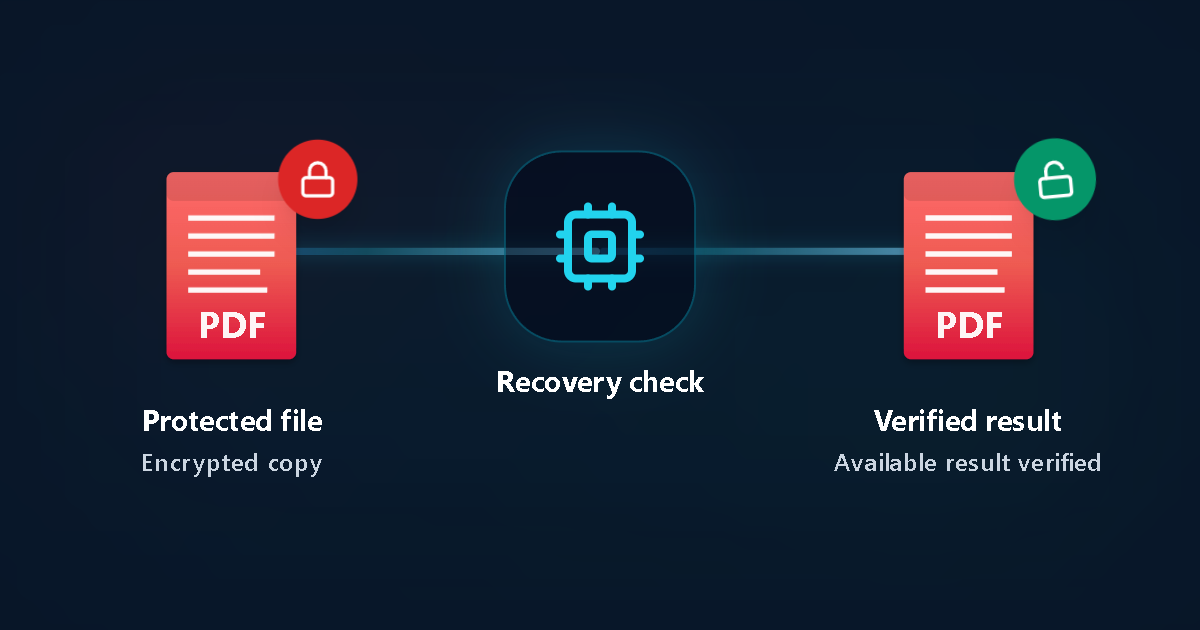
Protected file
Encrypted copy
Recovery check
Verified result
Available result verified
What to check before uploading an older statement copy
How to troubleshoot a locked South African statement PDF
Read the password note in the email
Email subjects and footers often specify whether the file expects your full 13-digit SA ID number, date of birth, passport number or last digits of an account.
Check Caps Lock and spaces
Copy-pasting an ID or reference with leading/trailing whitespace is a top reason valid passwords fail in PDF viewers.
Log into online banking for historical statements
FNB eStatements, Standard Bank, Absa, Nedbank and Capitec portals allow PDF downloads directly from authenticated sessions.
Protect banking privacy
Never share your banking app PIN, OTP, CVV or profile login. Only a standalone forgotten PDF password ever needs password recovery.
Try likely ID, year or PIN hints
If it is an old encrypted statement sent by an accountant or saved from an expired profile, record likely birthdates, ID digits or words as hints.
Review any verified result before payment
LostMyPassPro Password Recovery begins with no upfront payment. Pricing is shown clearly in local options before you choose to unlock a verified result.
Key facts & privacy boundaries
What NOT to confuse
- A statement PDF password is separate from your Online Banking PIN or OTP.
- Accounting-exported statements may use a custom password set by your bookkeeper rather than the bank default.
Safe authorised recovery
- Upload only statements you own or are authorised to access.
- Uploaded files follow automatic 24-hour deletion.
Common situations
Old FNB or Absa eStatement saved years ago
When the bank profile is closed or an accountant locked the copy, remembered digits or ID clues help narrow Password Recovery.
IT3b tax certificate PDF asks for a password
Check your bank tax mailbox email; if unavailable, run a private Password Recovery on a copy of the PDF.
South Africa bank statement PDF FAQ
Does FNB use one single password for every PDF?
Different South African bank products and historical delivery channels can vary. Check the statement email text or re-download from the authenticated FNB app first.
Is Password Recovery free to start for South African PDFs?
Yes. Starting Password Recovery requires no upfront payment; you only pay if a verified result is found and you choose to unlock it.
Should I ever enter my banking OTP or app PIN as a hint?
Never. Never enter online banking credentials, OTPs, PINs or card CVVs.
What if the PDF is from Standard Bank, Absa, Capitec or Nedbank?
Always check the delivery email or authenticated banking app first. When an old authorised PDF has a forgotten custom password, Password Recovery supports standard PDF encryption profiles.
How long are uploaded statements kept?
Customer files are processed automatically and removed within our strict 24-hour auto-deletion window.
Related guides
Official issuer & format references
LostMyPassPro vs Free PDF Unlockers vs Desktop PDF Tools (South Africa)
Compare browser cloud GPU recovery against permission-only web sites and paid desktop installs.
| Criterion | LostMyPassPro (Cloud GPU) | Desktop .exe (PassFab / Passper / iSumsoft) | Smallpdf / iLovePDF Online Unlockers |
|---|---|---|---|
| Recovers forgotten Open passwords on archived SA bank/IRP5 PDFs | Yes — cloud GPU recovery across RC4-40, AES-128 & AES-256 | Yes, throttled to your local PC CPU/GPU speed | No — asks you to type the Open password first |
| Zero-upload hash mode (POPIA-friendly) + 24h auto-deletion | Yes — local hash keeps raw statement on your device; 24h max purge | Requires installing closed-source .exe/.dmg locally | Uploads full statement and still fails on Open encryption |
| Upfront cost risk | $0 upfront check — pay only on verified proof | Paid license or recurring subscription upfront | Cannot unlock unknown Open passwords |
Still unable to open your own PDF?
If an old authorised statement PDF remains locked, start Password Recovery without upfront payment and add non-sensitive memory hints.